A Content-based Personalized Marketplace App for BUeños

Tired of scrolling on Facebook forums? Help test our UniFind mobile app where BU students can buy, sell, and connect within the university community. It provides a safe and convenient platform for finding school essentials, pre-loved items, gadgets, books, uniforms, and other products, exclusively among verified BU students.

Requires @bicol-u.edu.ph Google account · Android 7.0+
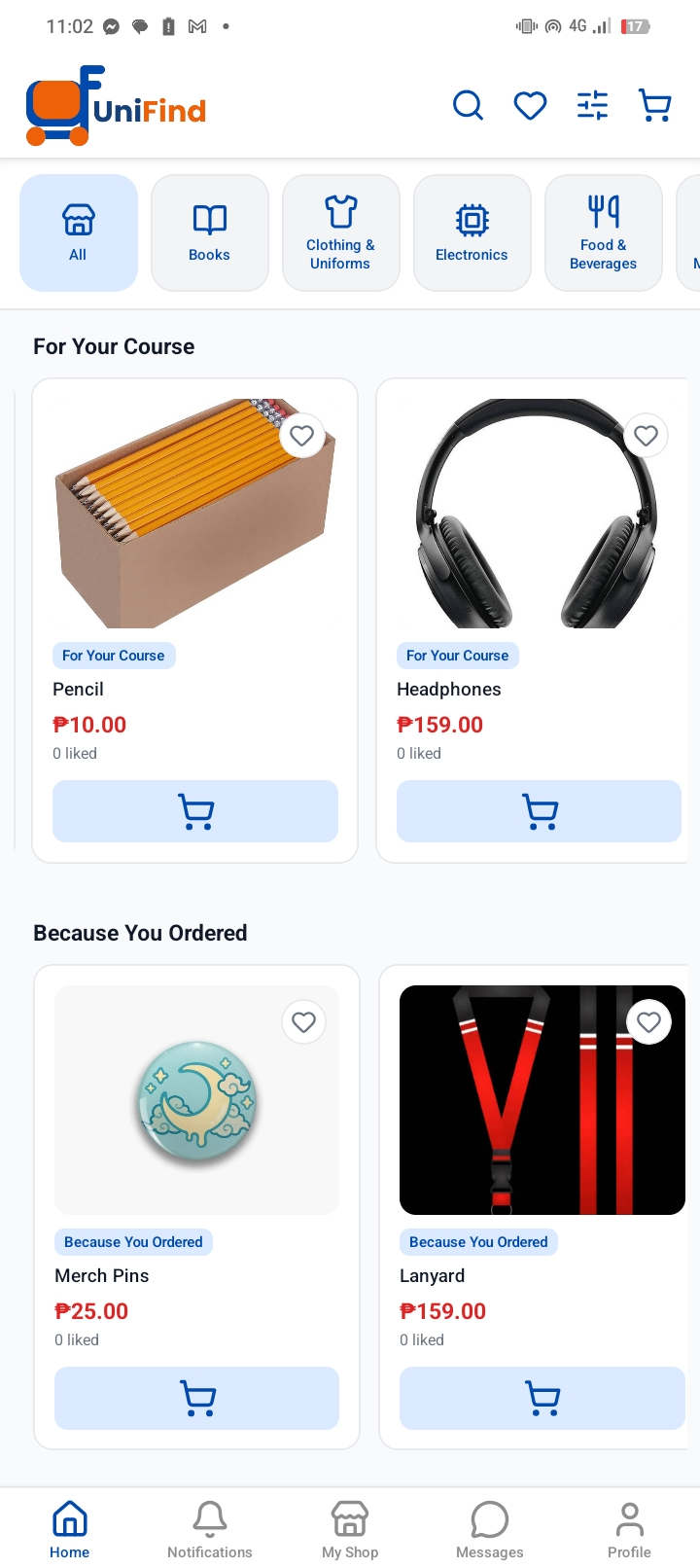
Home Feed
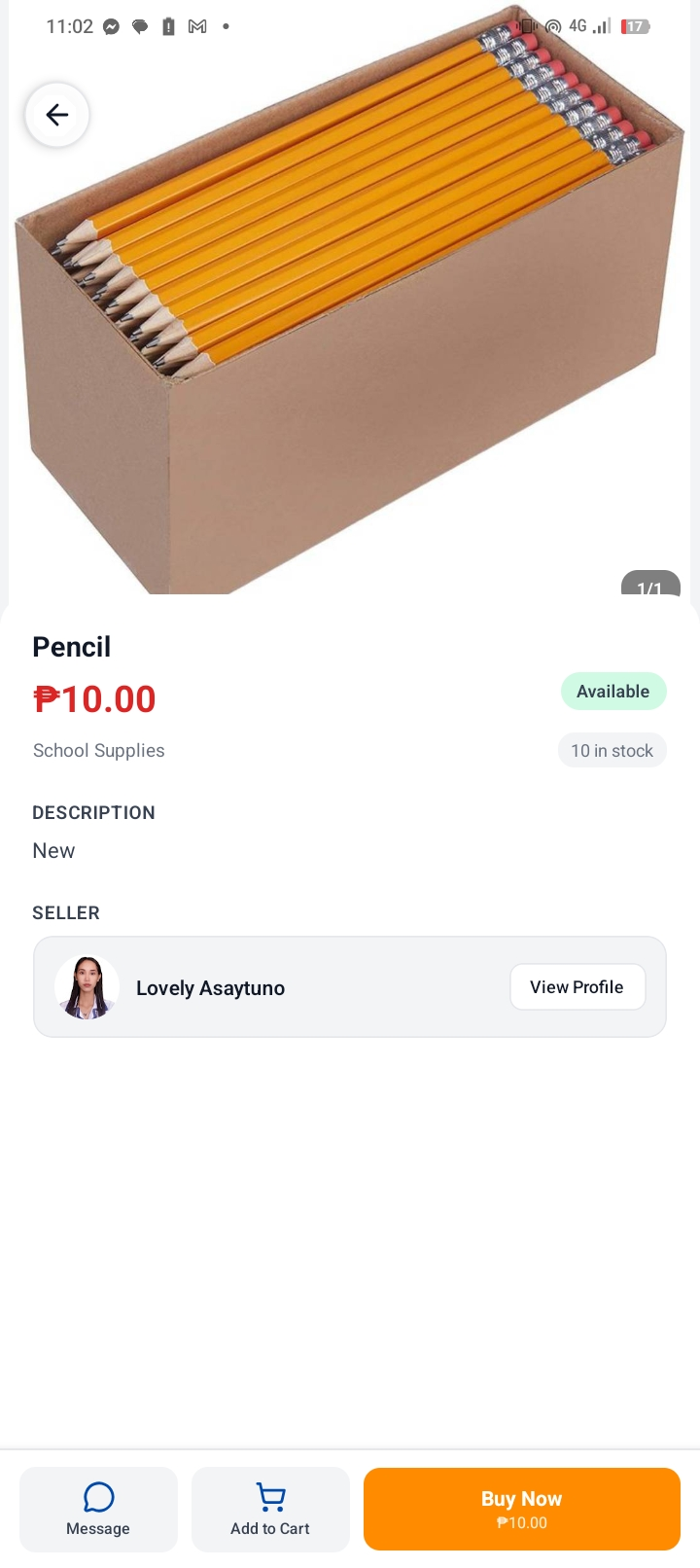
Listing Detail
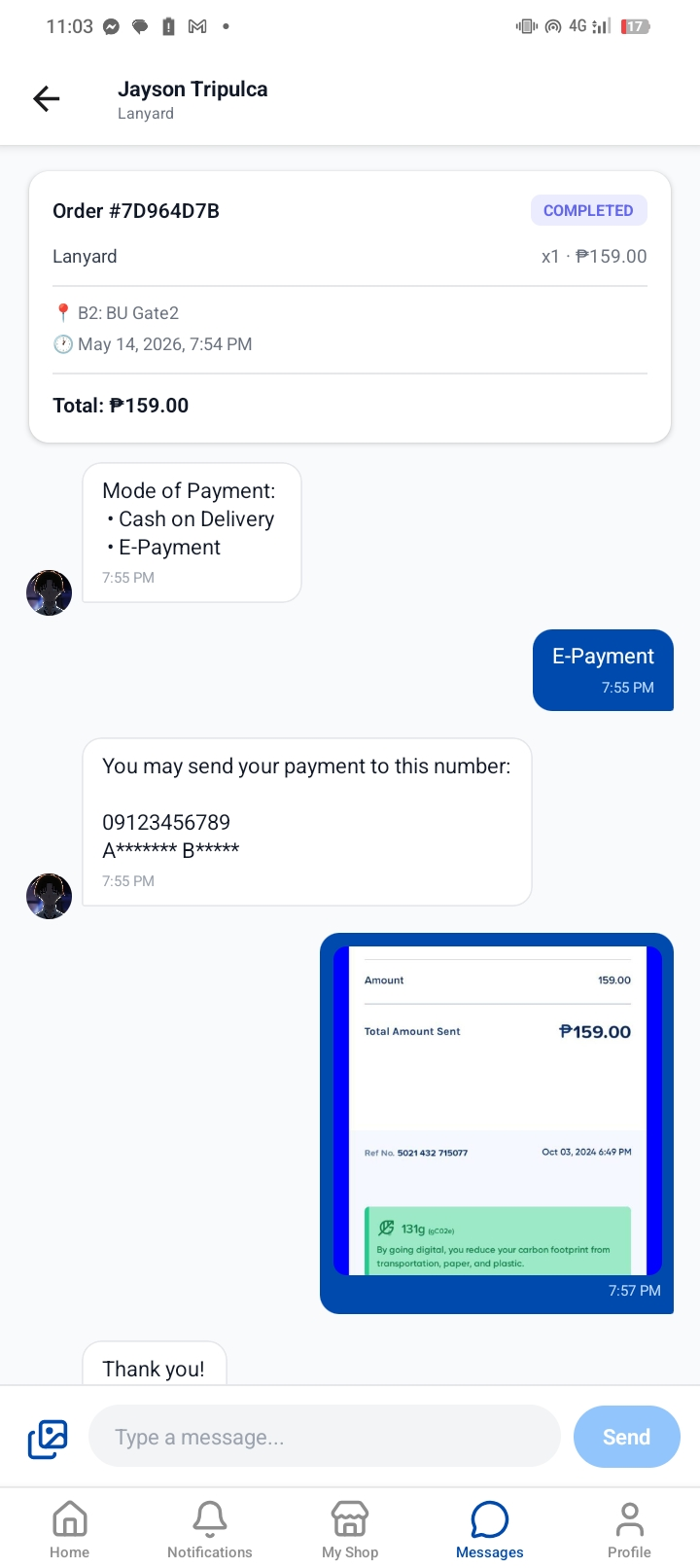
Messages

What is UniFind?

UniFind was built to make student-to-student transactions personalized, faster, more organized, and safer within the BU campus, while promoting affordability and sustainability through item reuse. Only verified BU students with an active @bicol-u.edu.ph Google account can access the app.

Mission

To provide students with a trusted digital marketplace that makes buying and selling easier, safer, and more accessible.

Vision

To become the go-to campus marketplace where every BU student can connect, trade, and support one another within the university community.

What the app includes

Built with a Content-based Recommendation system, UniFind also uses a structured cart and order system. No in-app payment is processed for now, buyers and sellers coordinate meetups and payment on campus after the seller accepts an order.

🔐

BU-exclusive access via Google Sign-In

🏠

Personalized listing recommendations

📸

Listings with photos, categories, and pricing

🛒

Cart and order request system

💬

Built-in messaging between buyers and sellers

Seller and buyer reviews with dimension ratings

🔍

Full-text search across all listings

🏪

Shop profiles showing listings and reviews

🔔

In-app notifications for orders and messages

📋

Order management for buyers and sellers

❤️

Wishlist for saving listings

From sign-in to transaction

Checkout does not finalize a transaction, it creates an order request. The seller accepts or rejects it, then buyer and seller coordinate payment and meetup through the in-app chat.

01

Sign in with your BU Google account

Only @bicol-u.edu.ph emails are accepted. Non-BU accounts are blocked at the server level before account creation.

02

Browse or post listings

Scroll on the Home feed or search by category/keyword. Add items to your cart or post your own with photos, a description, and a price.

03

Send an order request

Checkout submits an order to the seller. The seller reviews it and accepts or rejects. No payment happens inside the app.

04

Coordinate and meet on campus

Use the built-in chat to arrange payment method and meetup location. After completion, both parties can leave a review.

Installing UniFind

UniFind is not yet on the Google Play Store. Install directly using the APK file.

1
Download the latest APK from GitHub Releases.
2
On your device, go to Settings -> Install unknown apps and allow your browser or file manager to install APKs.
3
Open the downloaded file and tap Install.
4
Sign in with your @bicol-u.edu.ph Google account.
⚠️ Requires Android 7.0 (API 24) or higher. iOS is not supported.

About the Team

We are five 3rd Year Bachelor of Science in Computer Science students from Bicol University College of Science. UniFind was developed in partial fulfillment for our course requirements.

Lovely L. Asaytuno
Quality Assurance Engineer
Joshua Rene Latagan
Frontend Developer
Renz Kirby Onia
Backend Developer
Jayson Tripulca
Frontend Developer
Juan Miguel Zurbito
Project Manager

Support the Project

UniFind is free and maintained by amateur students. If you'd like to help expand this app enough to cover development tools and future costs, any support is appreciated.

☕ Support on Ko-fi